Hollow block Stepoc Wall
Setting Up the Design Brief
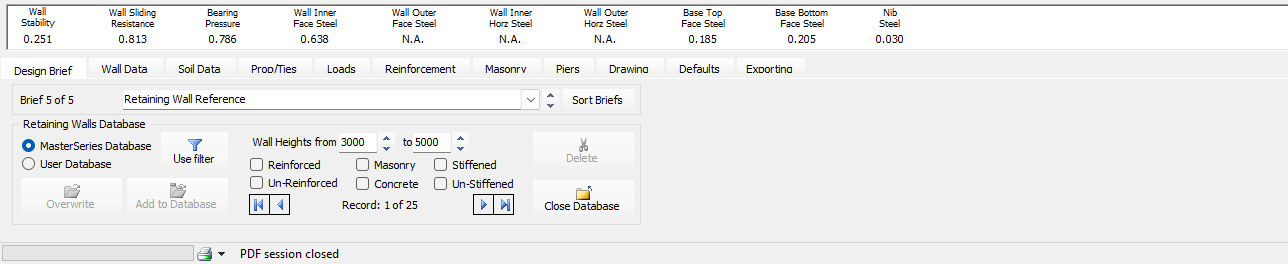
Access the Retaining Wall Module: Open the MasterSeries software and start the Retaining Walls program.

Commercial Stepoc products use hollow blocks infilled with concrete and reinforcement. MasterSeries often provides standard templates for these systems.
Navigate to the Design Brief tab (on the left side of the editing area).
Use the editing area to select "add a brief from the database". The database contains standard templates, including those specifically for the Stepoc retaining wall. Selecting this template sets up the initial specifications automatically. Refer 📄 Reinforced Hollow Block Retaining Walls to know more about downloading and using the defined briefs

- Select the appropriate design brief and close the database
Wall Data
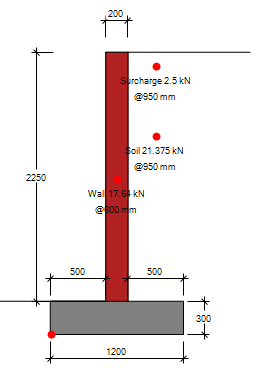
Use the wall data tab to set the geometry.
- Dimensions of the wall stem, heel, toe, nibs (if applicable), and setting the height of the wall. Specify the overall wall height as stepoc walls are typically pre-configured,
- You can also define the front and back soil dimensions and slopes, and the water table level.

Defining Soil Conditions
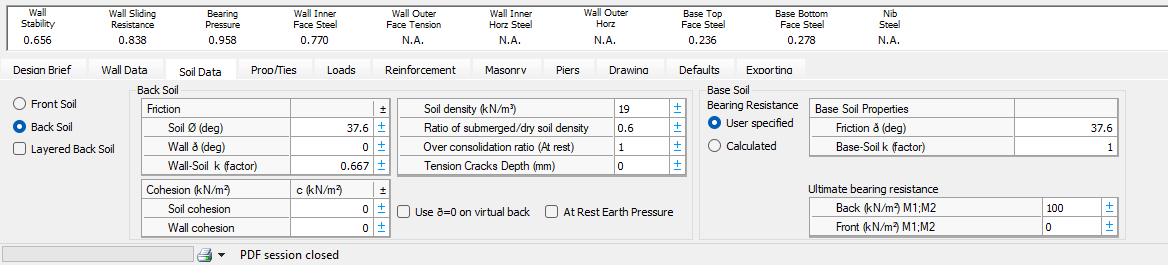
Define properties for the front, back, and base soil using the soil data tab
Set parameters such as soil density, soil friction angle, and cohesion.
Input the permissible bearing pressure for the design, which is set under the soil data tab
Define Loading
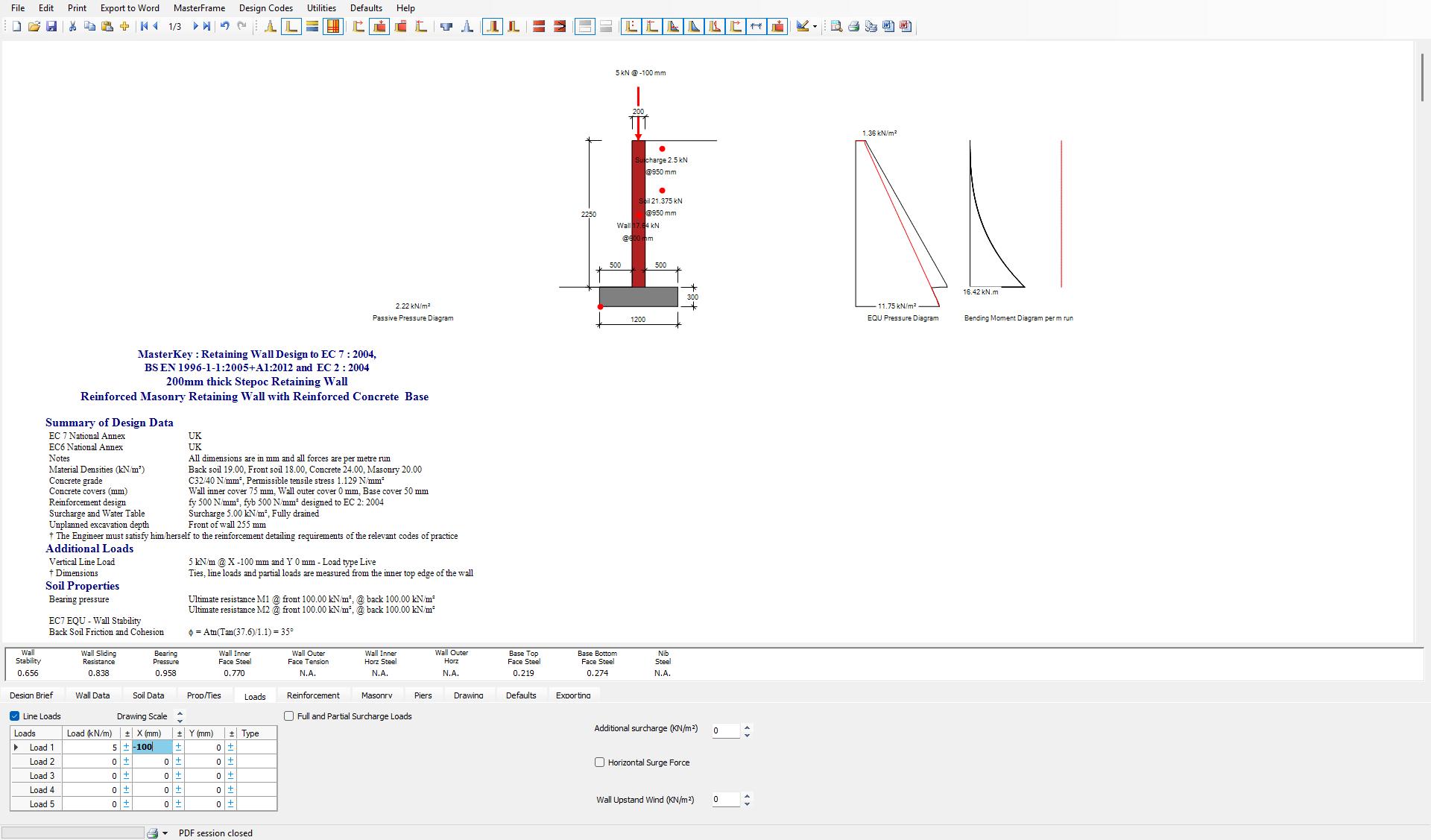
Specify all loads that the wall will experience under the load tab.
Typically, the default surcharge load (e.g., 10 kN/m²) recommended by British Standards for vehicular traffic is applied.
You can input line loads, full or partial surcharge loads, or horizontal surge forces.
Masonry Tab
Ensure the necessary settings are applied for a reinforced hollow block wall system. The defaults added from the database will provide the block strength (FK values), dimensions, and unit strength details for the chosen Stepoc block.
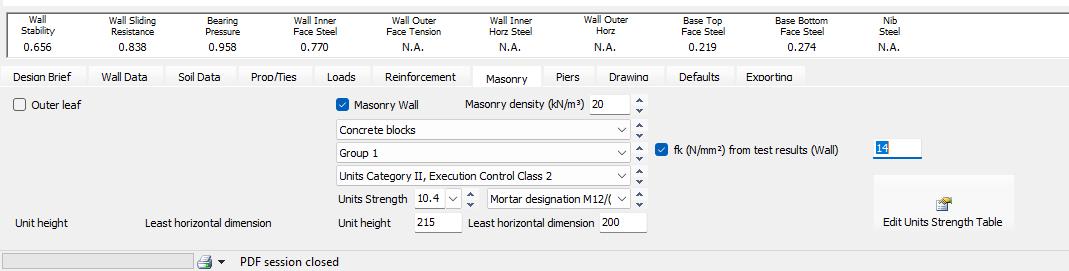
Reviewing and Adjusting Reinforcement
The reinforcement tab lets you enter the design details and specifications like
- Concrete Design Grade
- Tensile strength
- steel grade
- Cover to bars
- Reinforcement sizes and spacing in each direction
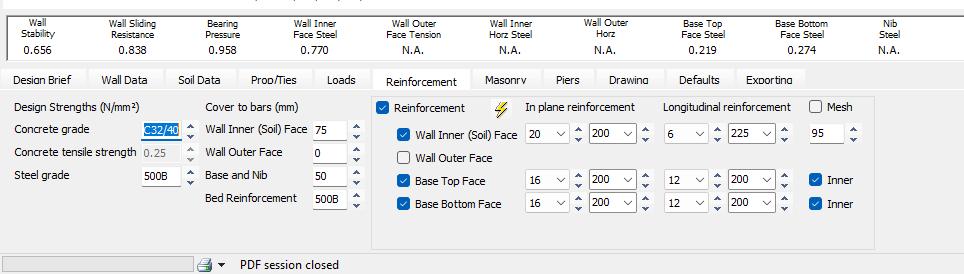
The automatic design  option in this tab design redesigns the reinforcement appropriately for the design.
Final Checks and Output
Check the design summary output at the bottom of the screen.
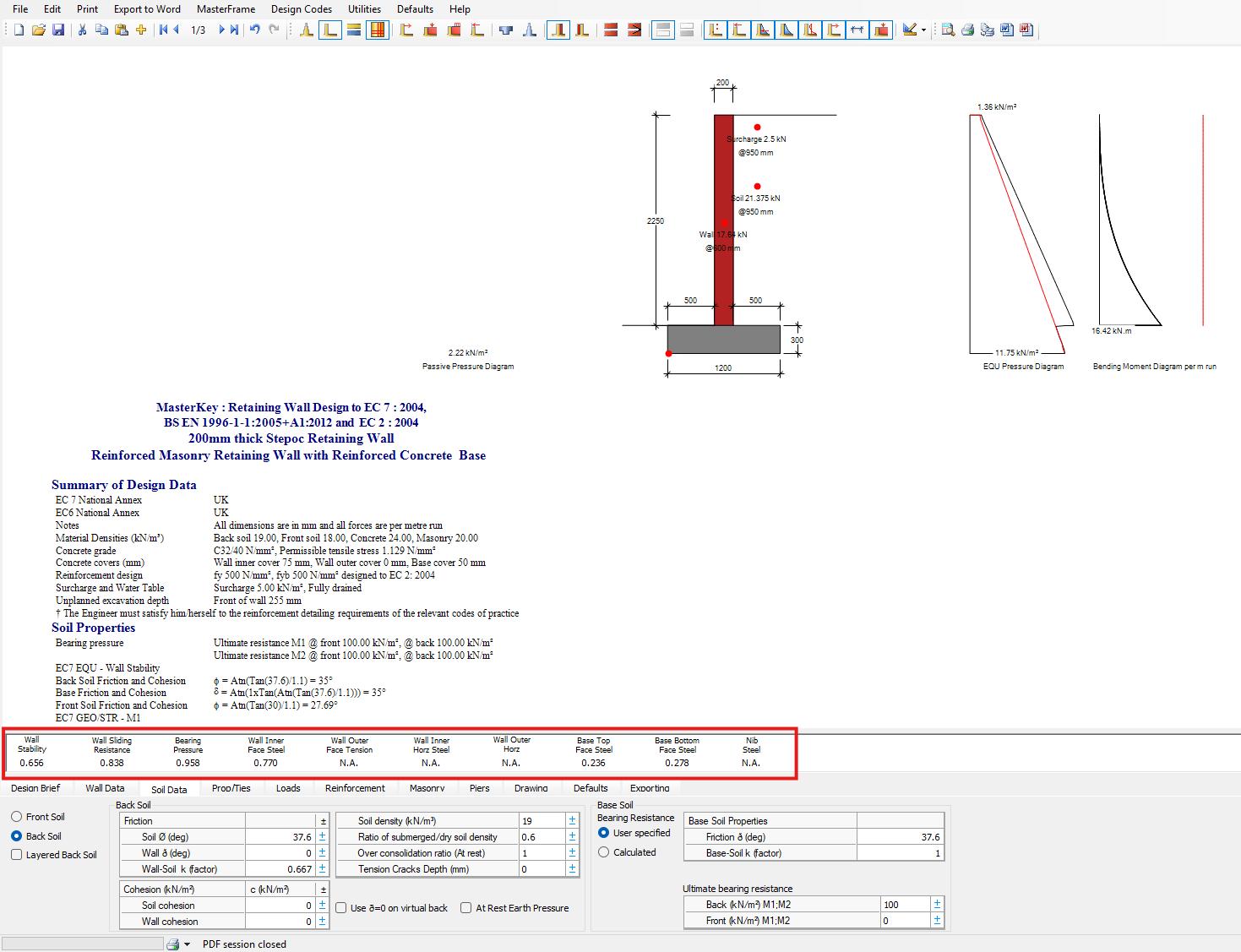
- The MasterSeries graphic screen provides a summary of calculations, including geotechnical design checks (overturning, sliding, bearing) and structural integrity checks (bending moments, shear).
- If a failure occurs, the screen will turn blue, and the relevant number will be highlighted in red, allowing you to quickly revise parameters.
- Once satisfied with the design, you can export drawings and bar schedules.