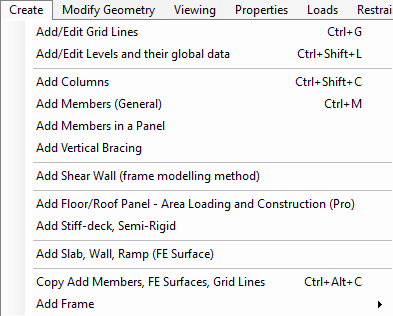
Create Menu
The create menu provides all you need to create a new structural model including setting up 📄 Grid Lines, adding new 📄 Add Columns, 📄 Add Members (General) It also covers 📄 Levels, Loading and Construction Defaults including area loading and construction type. Note the word ‘Pro’ after this option. Anywhere you see the word ‘Pro’ it indicates that the feature is a Pro only feature and requires the Pro add-on to MasterFrame to access these particular items.
The same is also true of the menu items that have FE Surfaces included. These refer to the 📄 FE Analysis add-on module which can be added to MasterFrame for creating, loading and analysing surfaces such as floor slabs or shear walls as a Finite Element mesh.