
Live Load Reduction
The loading codes recognise that in a multi-storey building, the imposed (live/variable) loading may not exist on all floors simultaneously. The codes provide a method to reduce the axial loading on columns with increasing number of floors. In certain columns the axial force may be reduced by a percentage dependent on the number of floors (with loads qualifying for reduction) carried by the column under consideration.
MasterFrame enables you to very quickly specify the percentage reductions using either of two approaches.
- Apply percentage reductions to the total live load being applied to the column, or
- Apply percentage reductions to individual live floors loads supported by the column.
The defining of the floor levels uses a simple approach.
The reduced column axial force and pad foundation loading is linked to MasterKey Steel, Connections, Concrete and Timber design modules.
Live reduction is only applied to column line elements. It is not applied to vertical finite element surfaces, e.g. concrete shear walls.
How to Apply Live Load Reduction
To apply live load reduction;
- Select Loads > Live Load Reduction from the top menu bar.
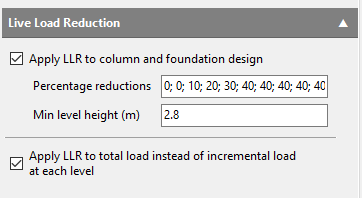
- Tick the ‘Apply LLR to column and foundation design’ option
- Tick the ‘Apply LLR to total load instead of incremental load…’ option to use approach 1 above or omit the tick to use approach 2.
- Specify the percentage reductions per floor/level, separating the values with semi-colons. These start from the top down and are applied per column run.
- Specify the Minimum Level Height. MasterFrame uses this value to define the floors levels for the reduction percentage. If the local column height is less than the minimum level height the level is not incremented and percentage reduction is not increased.
- Analyse the frame. When live load reduction is activated the analysis procedure conducts two sets of analysis, i.e. one for the normal factored load case and one for the factored live load alone for this case, thus allowing the component of live load for the case to be determined and recorded. This enables the percentages and minimum level height to be modified post analysis, omitting the need to reanalyse the frame.
Viewing the Reduced Axial Load
To view the reduced axial load;
- From the Results menu select the 📄 Graphical Analysis Results.
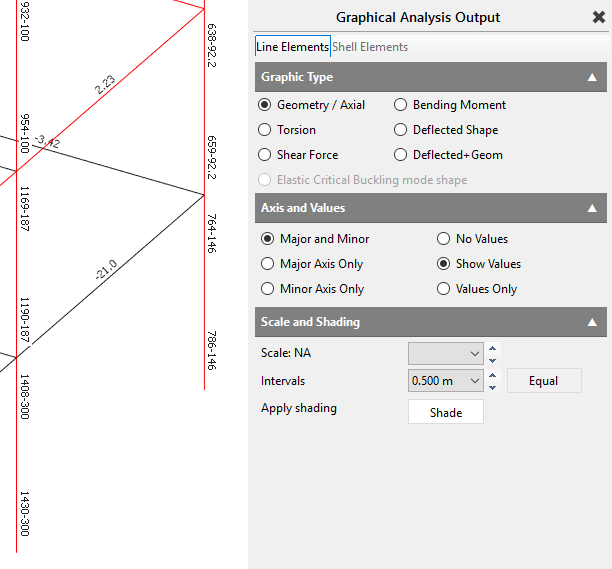
- Select to display the Geometry / Axial loads.
- Check the ‘Show Values’ option to display the axial force value on the members in the frame geometry area. The axial force in the columns that are subject to live load reduction are shown with the full axial force minus the reduction force, eg, 768 – 146 kN where 146 kN represents the reduction force.
Modifying Reduction Parameters
To modify the reduction parameters post analysis;
- Select the Frame Loads
 (📄 The Loads toolbar) button from the top tool bar.
 - At the bottom to the right of the 'Change live load reduction values', click the blue Change button.

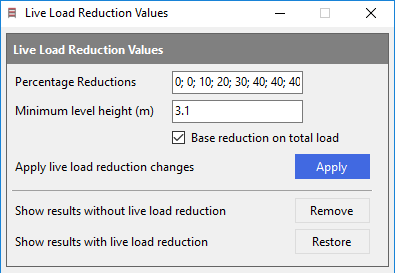
- You can alter the reduction parameters. The reduction method can also be changed using the ‘Base reduction on total load’ tick box (checked for method 1 above).
- Click Apply changes to activate the new parameters.
- While viewing the axial force as described above the ‘Show results without live load reduction’ Remove button can be used to hide the force reduction values and can be redisplayed using the Restore button
When Live load reduction is turned on it is applies to to all live load groups in all loading case. L0 to L9, G0 to G9, H0 to H9, I0 to I9, J0 to J9 and K0 to K9. In EC design live load groups assigned a category of 'Cat E: Storage' are not included in live load reduction.
The level % reduction increment is applied on a column by column run basis.
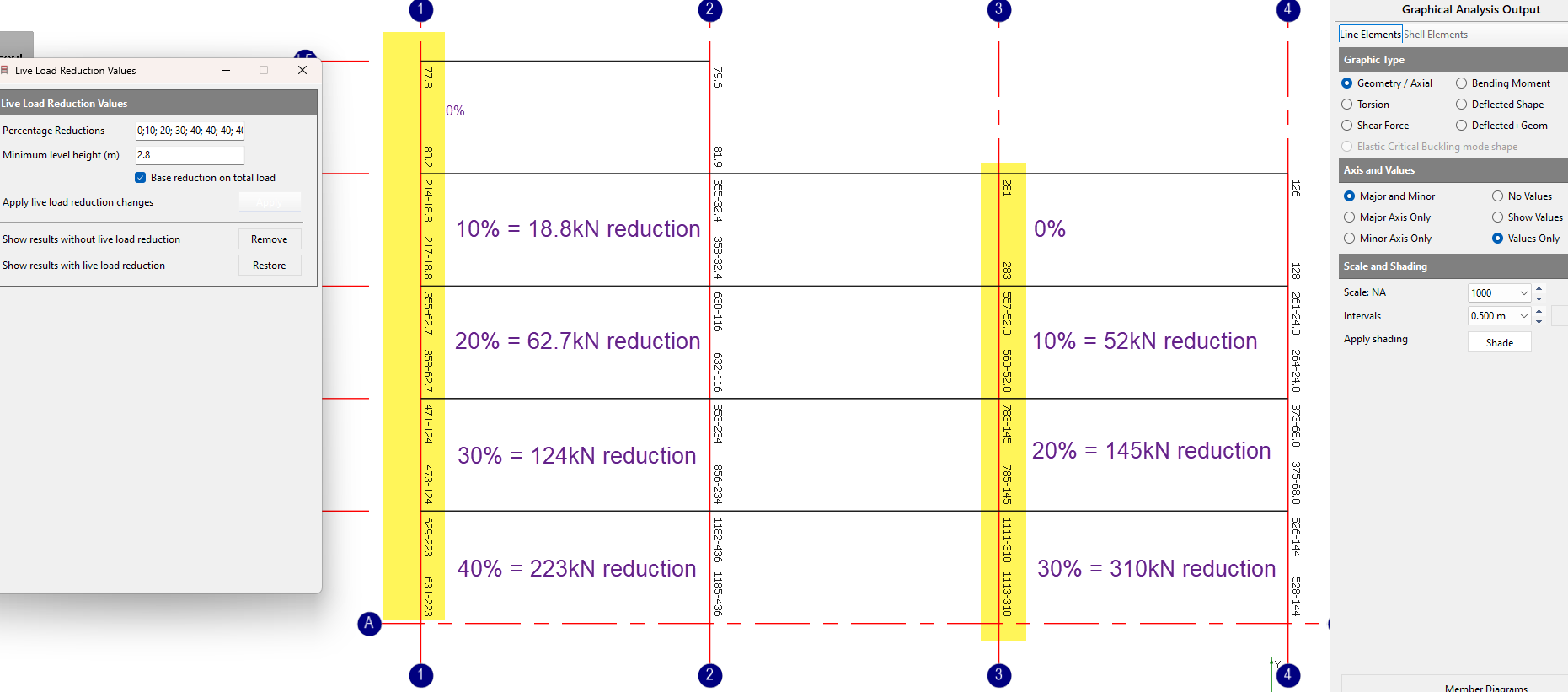
Starting at the top of the column run and observing the minimum level height the level is increment provided that the level contains a 'sufficient' amount of live load. Currently this is based on the level having at least 20% of the average total loading per level from above for the column being considered. This eliminates levels that present small values of live loads compared to the average causing level increments and hance % reduction increases, as this is seen to be contrary to the intention of the statistical reduction that is being attempted.
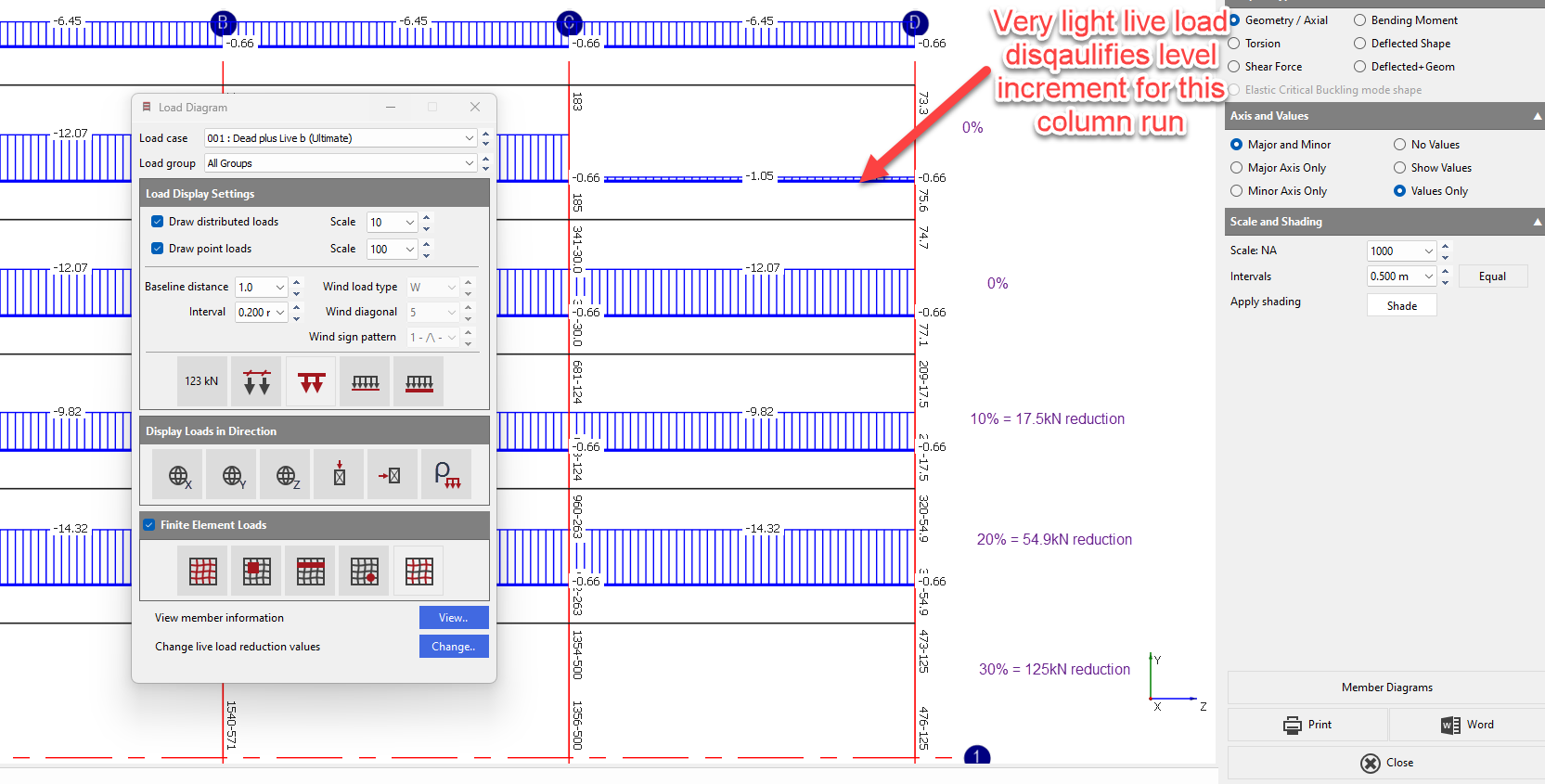
Why is Live Load Reduction not being applied?
If Live Load Reduction appears to remain at 0% or does not increase down the structure, check the following:
- Member type – Live Load Reduction applies to vertical 1D column line elements. It is not applied to beams, inclined/raking members or vertical FE surfaces such as shear walls.
- Continuous column run – Reductions increase from the top down a multi-storey column run. The top lift has no accumulated reduction. Single-lift or disconnected columns may therefore remain at 0%.
- Minimum Level Height – A floor is only counted where the column height exceeds the Minimum Level Height specified under Loads > Live Load Reduction.
- Qualifying live load – A level must contain sufficient live load to count towards the reduction. MasterFrame currently requires at least 20% of the average live load per level from the floors above for that column run. MasterSeries Help
- Live load category – For Eurocode design, loads assigned to Category E: Storage are excluded from Live Load Reduction. MasterSeries Help
- Unmodelled floors – MasterFrame can only determine reductions from the column levels and qualifying loads represented in the model. If upper storeys are not included, they will not contribute to the reduction count.