Viewing Total Forces and Stresses for Individual Wall FE Surfaces
FE Shell elements contour plots are great for designing for local stresses in an FE Surface. However, sometimes we need simpler output readings, for example for getting the total axial force result of an FE Wall Surface.
To acquire a single reading of local forces and stresses at the bottom of a shear wall, akin to a column's results, a section line diagram within MasterFrame offers the most effective approach. This method is particularly adept for investigating Serviceability Limit State (SLS) results, where the concrete shear wall design module might not provide a single, averaged value across the entire wall width in the same way.
Here's a guide to implementing this check:
- Understanding Section Line Diagrams: Section diagrams are powerful tools within MasterFrame's Finite Element Analysis (FEA) capabilities, allowing you to examine analysis results along a specific line, or within rectangular or circular perimeters. They are especially useful for analysing the distribution of axial force in walls.
- Accessing the FE Results Area: To begin, navigate to the Results menu and select Graphical Analysis Results. From there, you'll find an icon that will switch the right-hand pane to the FE results area, where you can then select your desired section diagram type.
Defining the Section Line for Your Shear Wall:
- For a shear wall, you will typically want a line section diagram.
- Positioning the Line: The line's position can be defined by selecting existing nodes or by manually inputting X, Y, and Z coordinates. For a shear wall, you would draw a line from a node established at the top midpoint of the wall down to a node at the bottom midpoint. This ensures you capture the forces along the height of the wall.
Selecting Result Type: Within the FE results area, you can choose from various force, displacement, and stress results to display. For a shear wall, you would typically be interested in:
- In-plane axial force (Fx or Fy) in the local axis direction.
- Moments (Mx, My) representing bending in the x and y directions of the element.
- Twisting moment (Mxy).
- Principal moments (Mmax, Mmin).
- Transverse shear force (FVx, FVy).
- Principal stresses (σ max, σ min) and other stress results like Von Mises for material behaviour.
Employing the "Average Strip" Feature:
- Finite Element Analysis (FEA) results often show high peak values (singularities) at points of concentrated loads or supports, such as where columns or walls interact with a slab. These peaks represent infinite stresses theoretically and may not accurately reflect the real behaviour of concrete, which cracks and yields to distribute forces.
- To obtain a single, representative reading across the width of the shear wall, use the "Average Strip" feature in conjunction with your line diagram. This feature allows the software to perform an integration over a user-defined width perpendicular to the section line, calculating an average value for the selected result.
- For Axial Forces you would need to multiply the Force at the bottom of the wall by the height.
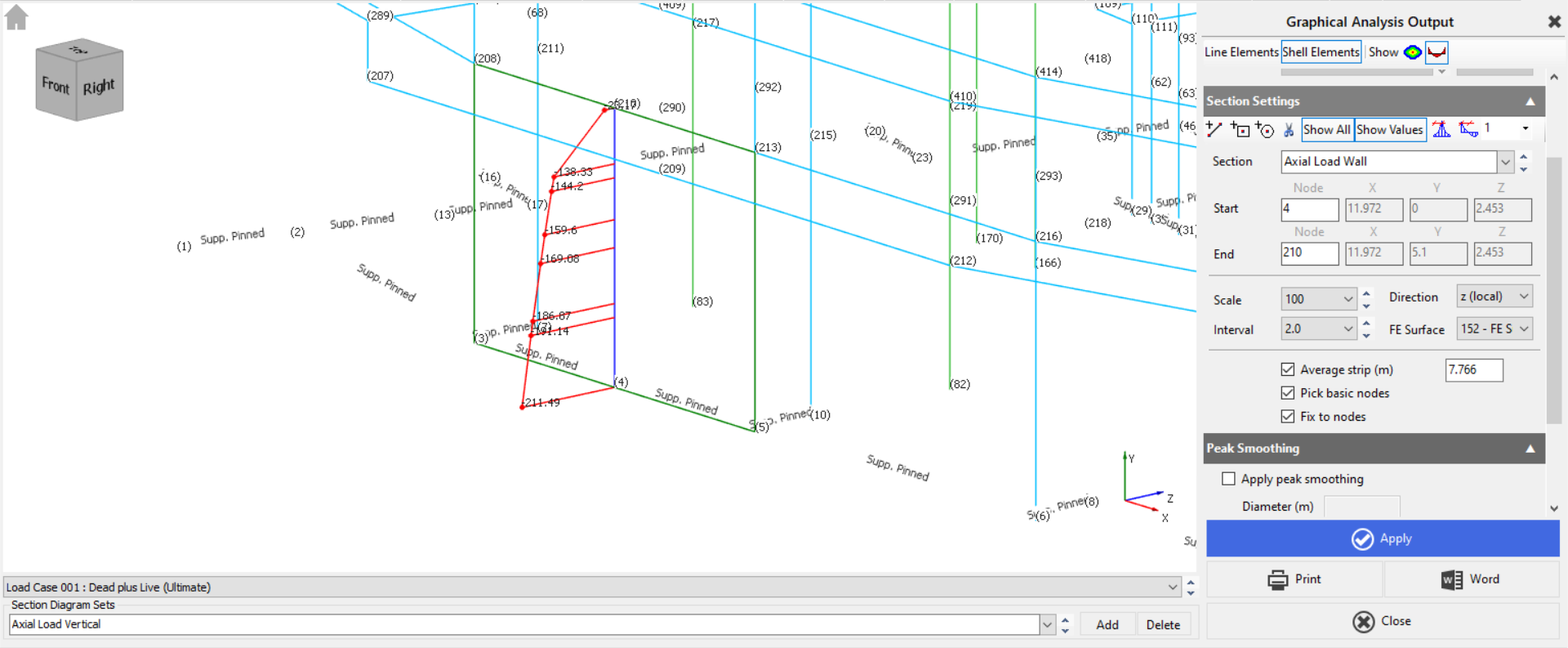
- For Axial Forces you would need to multiply the Force at the bottom of the wall by the height.
- For a shear wall, the "average strip" width should be defined to match the actual width of the wall. This provides a single, smoothed value that is more representative of the overall force or stress in the wall, rather than designing for localised, artificially high peaks.
Application for SLS and ULS:
- As your query notes, for SLS results, directly creating a section line diagram in MasterFrame and applying the "average strip" is the appropriate method to get a single, averaged reading for deflections and other serviceability criteria.
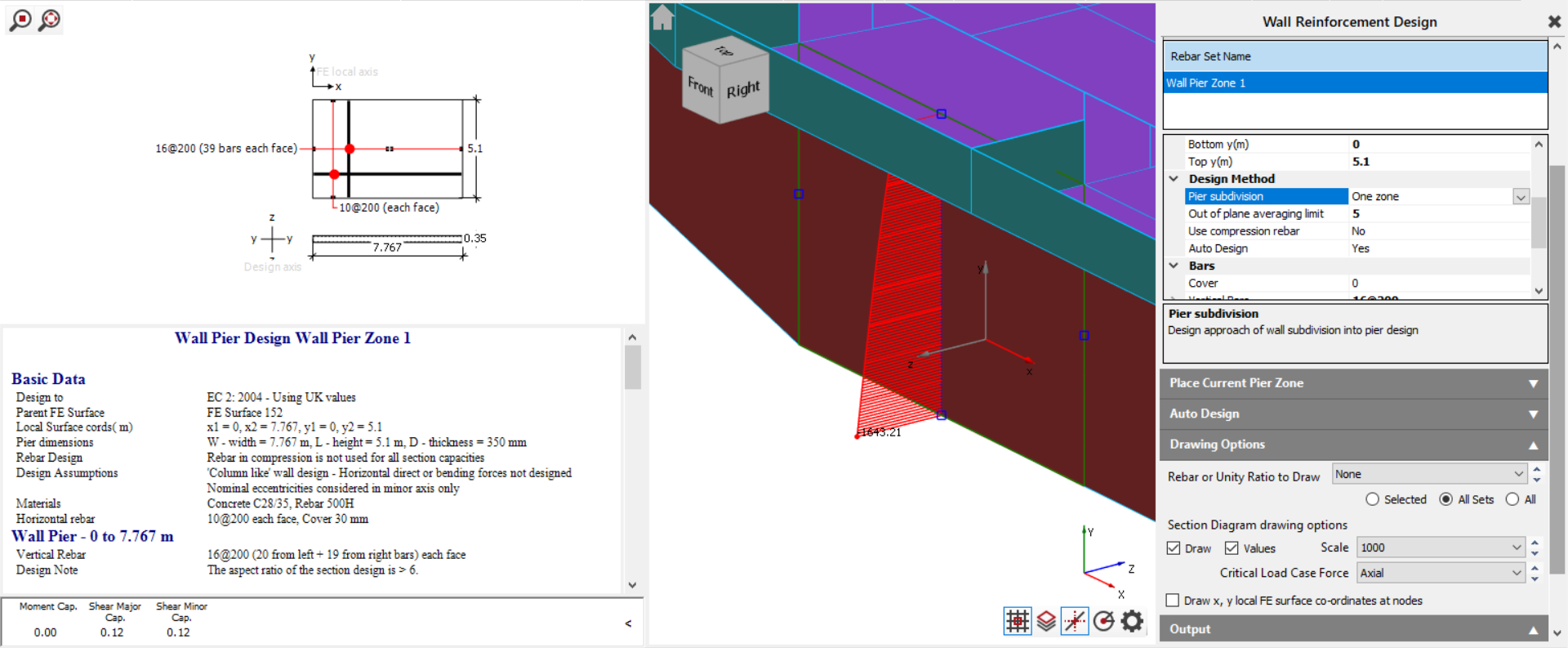
- For Ultimate Limit State (ULS) checks, the Masterframe FEA concrete wall design module (part of MasterKey slab and wall design) is designed to handle this. It allows you to define wall pier zones, which treat sections of the wall as concrete columns subjected to axial force, biaxial bending, and shear in two directions. This module identifies critical forces within these regions for reinforcement design. While the module itself can display various design forces on its internal "design strips", the section line diagram in MasterFrame can still be a valuable tool for a quick overview or for validating the overall force distribution before diving into the detailed pier design checks.
By using the "average strip" on a section line diagram, you can effectively obtain a single, averaged reading of the forces or stresses along the height of your shear wall, providing a clear and reliable value for design consideration.