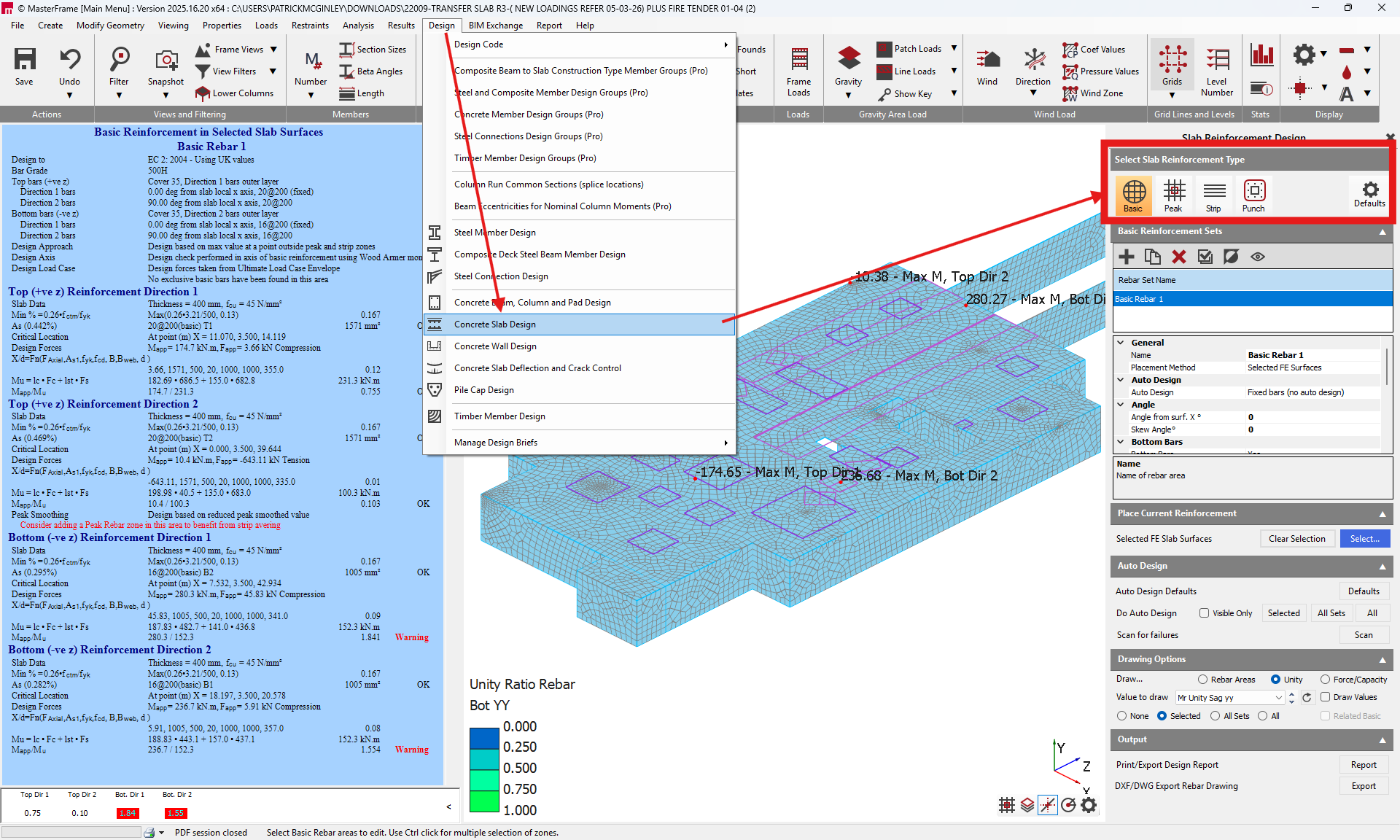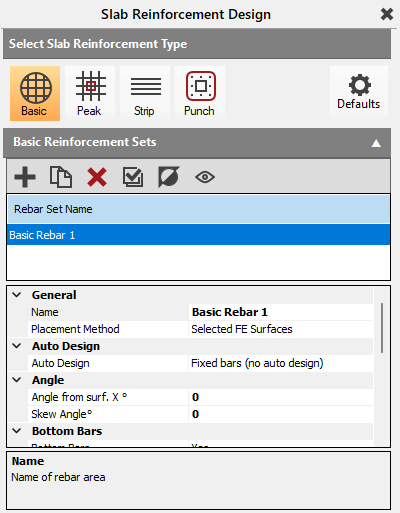
Slab Design - Overview
The Concrete Slab Design module is an additional design module which adds to the analytic capabilities of the Masterframe and Masterframe FE modules to enable the design of concrete slab structural elements. The Slab Design module allows the user to set up regions within slabs modelled as FE surfaces and define a basic quantity of reinforcement and then to design the reinforcement in peak regions and strips and also to design for punching shear around the head of columns and at the ends of walls where they intersect with slabs. The Concrete Slab design will identify the critical forces within the various regions, using the results of the frame analysis, allowing the user to define the reinforcement required for these forces. The module also allows for an auto design to be carried out, providing tools to allow the user to control the reinforcement either through specifying allowable bar diameters and/or bar spacings.
FE Slab Analysis
The FE Slab design utilises the results of a finite element analysis to provide automation of the slab design process. Thus the first step of the process is to carry out the FE analysis of the structure. For details on creating and analysing a FE model, see the Masterframe FE Analysis section.
As part of the FE Slab design, the FE properties have been updated. Therefore, it is necessary to ensure that the FE materials are set as new Codified Material in the Material/Thickness tab of the FE module. This area layout is shown below.
.png)
The FE Module allows for the the selection of Concrete or Steel from the Material Type drop down menu. When set to concrete, a range of concrete strengths are indicated, while selecting steel allows for the selection of standard steel grades. In the case of a slab design, The Material Type should be set to Concrete and an appropriate concrete strength selected.
Mesh setup
To improve the accuracy and resolution of the results in the FE Slab design module, it may be necessary to review the FE mesh after an initial model analysis and modify the meshing parameters. In general, a better resolution of the results occurs with a reduced mesh size. However, a more dense mesh, while reducing the area affected by singularities, will lead to increased peak values and these can affect the determination of the reinforcement in the peak zones which occurs over the head of columns. While peak smoothing can reduce to a degree the effect of this, it can also be helpful to employ stiff regions at the column/wall and slab interfaces.
When reducing mesh sizes and/or using the column/wall stiff regions, the modification of the mesh size to increase the node density results in a longer analysis time. Thus a balance may need to be struck between refining the mesh size and the required increase in the time required to complete the analysis. For larger models, it may be necessary to refine the mesh for the slab design and then suspend all serviceability load cases, thus reducing the number of load cases to be considered while using a reduced mesh size.
Model Setup
The design of punching shear depends on the slab thickness (effective depth) and the footprint of the column, for the internal columns. However, for columns on the edge of a slab, the position of the column relative to the slab edge also influences the length of the shear perimeter. In a general FE analysis, it is often advisable to avoid placing column elements a short distance inboard of a slab edge, since this leads to a significant reduction in the mesh size local to the column which leads to an increase in the complexity of the mesh geometry and a longer analysis time. However, in certain circumstances it may be necessary to model the columns with the column centroid (represented by the 1D line element in Masterframe) in it's true position relative to the edge or boundary of the FE surface to then better represent the shear perimeter associated with the column.
Where is it required to create joints in slabs, these are modelled using FE surface edge releases. To enable the correct punching shear perimeters to be determined in the vicinity of the joint/edge release along the slab boundary, it may be necessary to position the slab edge in the true position relative to the column centrelines to accurately determine the shear stresses in the slab as well as the correct length
Output
The Output menu area provides options to output the design results and reinforcement zones outputs for the slab design. The design for the basic, peak, strip and punching shear zones can be either printed or exported to Word while the DXF/DWG allows the reinforcement in each zone to be indicated visually on a drawing.
Print/Export Design Report
The design outputs can be selected and either printed or exported to Word by clicking on the
icon. This will bring up the Slab Design Print Manager window.
.png)
The design for the various reinforcements zones can be selected for printing by using the check boxes to the left of the window. To print all the designs for a zone, check the All radio button. To select specific designs, the radio button for Selected should be used. This will then populate the Select Deign Output window with the names of each design brief for the Selected rebar regions. A design is selected for printing or exporting by clicking on the line in the Select Design Output using the left mouse button while holding Ctrl. Each selected design output will highlight in blue.
While using the All option, designs can be filtered further by using the Masterframe viewing tools to filter the view to a specific part or area of the model and then using the Visible Only checkbox.
Once designs are selected, to Print either to a printer or to PDF, select the
icon, while to export to Word, select the
icon.
DXF/DWG Export Rebar Drawing
Colour coded drawings indicating the reinforcement in various design zones can be created using the DXF/DWG Export Rebar Drawing option. This is selected by clicking on the
icon. This will open the Slab Reinforcement DXF.DWG Drawing Export window.
.png)
All FE surfaces at one common level are grouped as printed as a single slab. Each grouping of slabs can be selected or de-selected by right clicking with the mouse in the Select Slabs to Export area and using the controls in the pop up menu.
The inputs allow for the selection of the reinforcement layer and direction as well as design type to be selected. The file path, drawing scales and file type are all selected using the in menu options.
When exporting drawings, it is important to note that various reinforcement zones can overlap making the display of the colour coded areas difficult to read in the drawing. Therefore, particularly for slabs with a significant number of design zones, it may be necessary to export the reinforcement over a number of drawings.