Steel Design Groups
Simplified Interface
In the Simplified Interface, MasterPort acts as a management system that automatically generates Design Groups and applies Design Briefs based on the geometry you define.
The only option available for the management of your Design Group when the Simplified interface is turned on, are the generic lateral restraint settings.
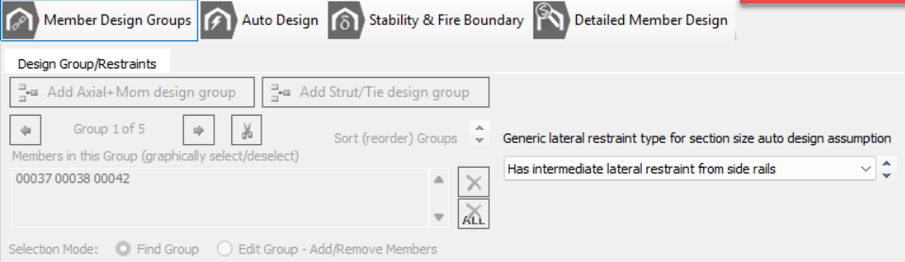
Simplified Interface - Automatic Defaults
When you enter MasterPort Design with a generated frame, the software assigns default briefs and groups. These can be reviewed within the "Stability & Fire Boundary Tab > Design Briefs":
0001 Elastic Critical Load Factor (λcr) check - applied to all members.
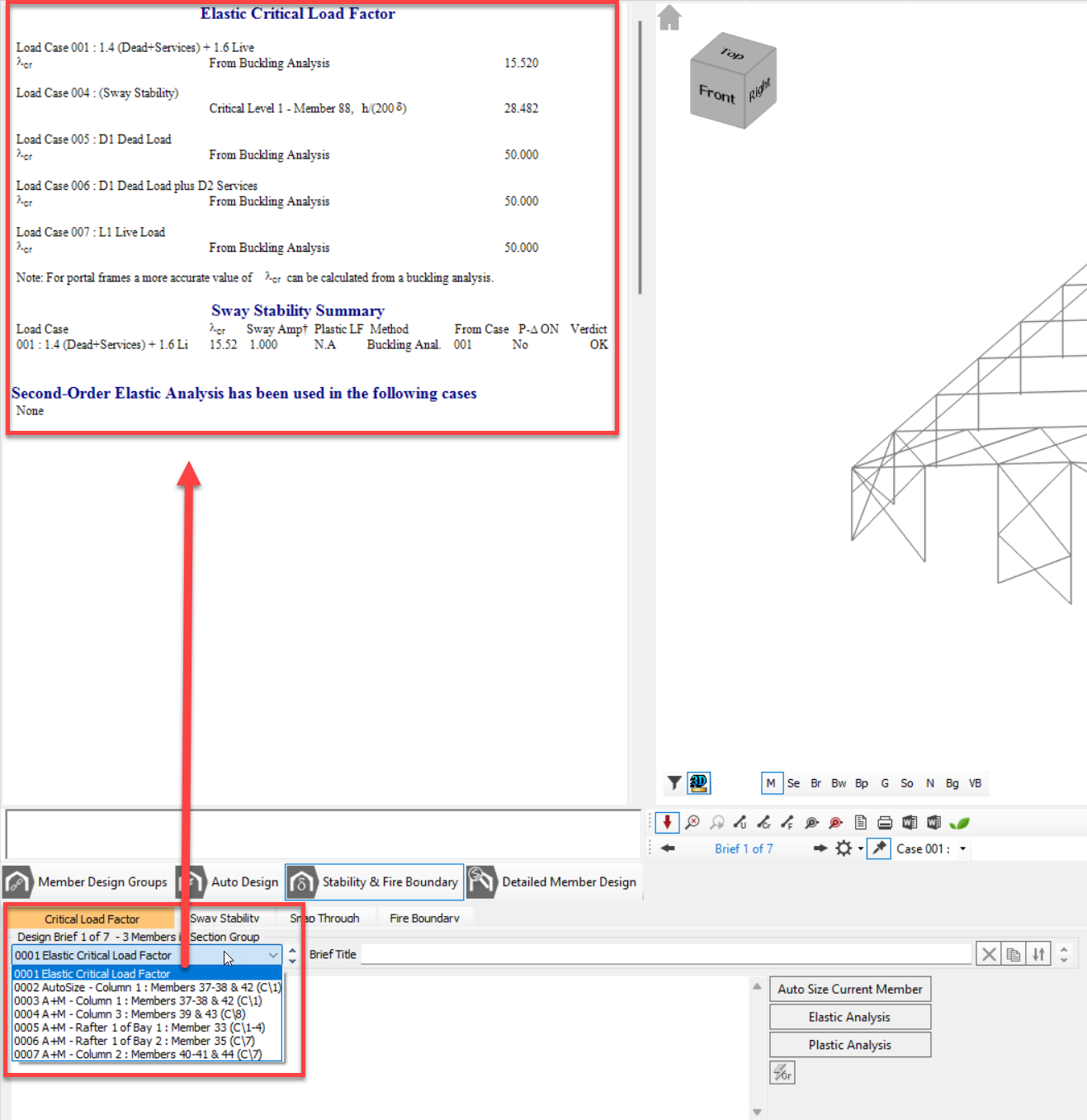
0002 AutoSize - applied to Main Portal Frame Groups (M) (Portal Rafters, Columns, Lean-tos etc.) only. This allows for quick sizing of the main portal frame.
Auto Size is an optimisation tool used to find the most economical section based on generalized rules.
Sizes defined here will automatically carry into the Detailed Member Design Groups.
0003, 0004, 0005... Detailed Member Design Groups (All Groups, see below)
Detailed Member Design is a verification tool used to validate that specific section against exact restraint conditions and stability checks.
Automatic Grouping
- Uniform Section Sizing: Within Groups and Subsets, members are grouped by type . The software designs the critical member within that group (the worst-case scenario) and applies the resulting section size to all members in that group,.
- Automatic Brief Application: Design briefs (such as Axial with Moments and Appendix G stability checks) are automatically created and attached to these groups.
- Global Changes: If you change a section size within a group, MasterPort automatically copies that change to all other members in that designated group across the entire building.
Main Portal Frame Groups (M)
Portal Rafters, Columns, Lean-tos etc.
Includes columns and rafters and any lean-tos. You can have multiple Groups within the Main Portal Frame Groups.
Main Portal Frame Groups
Example 1 (Symmetrical Frame)
Multi-span portal Groups below
.png)
Group 1 – External Columns: Axial with Moments + Appendix-G
Group 2 – Outside Frame Rafters: Axial with Moments + Appendix-G
Group 3 – Inside Frame Rafters: Axial with Moments + Appendix-G
Group 4 – Internal Columns: Axial with Moments
Main Portal Frame Groups
Example 2 (Assymetrical Frame)
Navigate Group using the Left and Right arrows
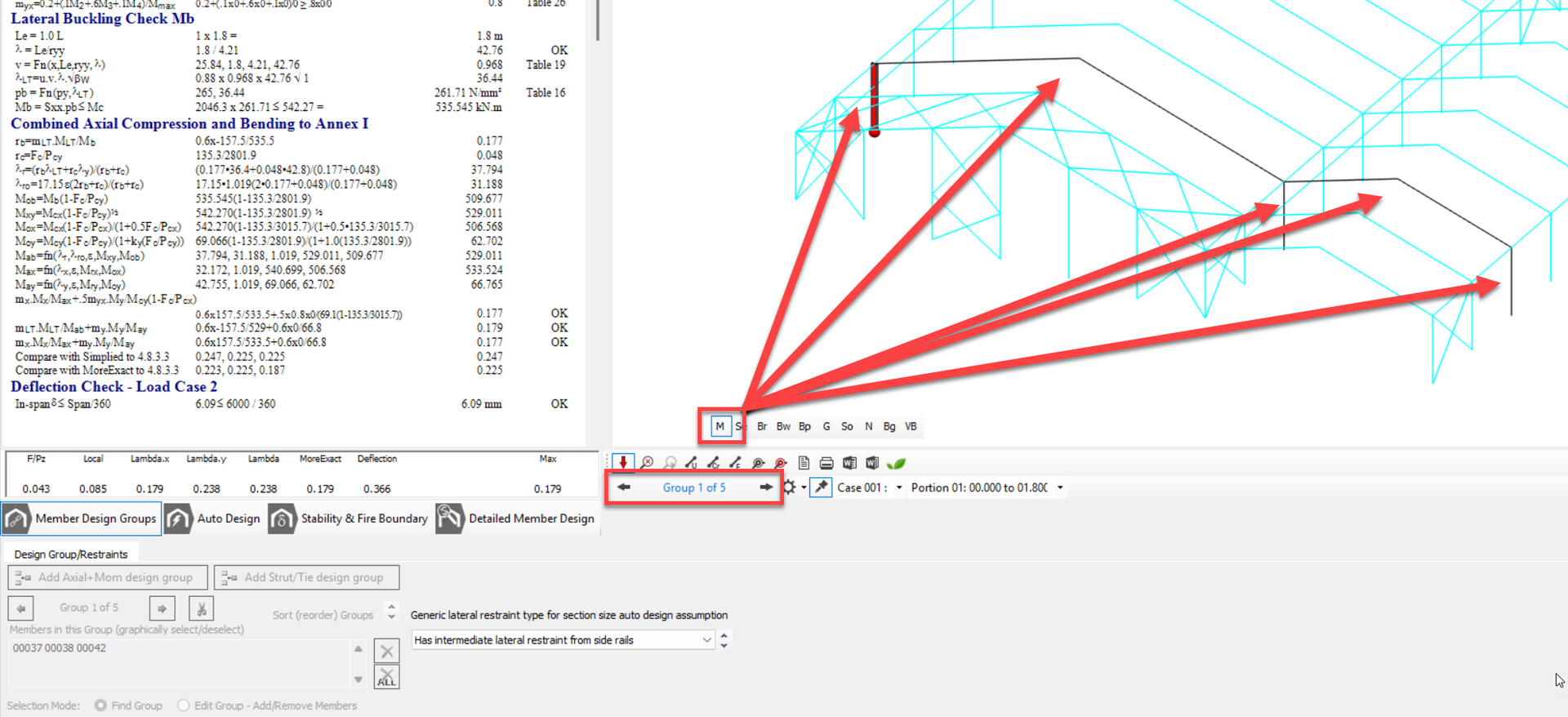
Group 1 – External Column LHS: Axial with Moments + Appendix-G
Group 2 – Frame Rafter 1 (Span 1): Axial with Moments + Appendix-G
- Group 3 – Internal Column: Axial with Moments
- Group 4 – Frame Rafter 2 (Span 2): Axial with Moments + Appendix-G
- Group 5 – External Column RHS: Axial with Moments + Appendix-G
Generic Lateral Restraint Options
Affects the inclusion for buckling design in the initial automatic member sizing 'Auto design' mode.
- Has intermediate lateral restraint from side rails
- Assumes the members lateral torsional buckling is controlled by purlins/side rails and design and the auto design is limited to local member section capacity
- Columns: Defaults to 1.8m equal spacing (top flange restraint)
- Rafters: Defaults to 1.2m equal spacing (top flange restraint)

These settings can be amended within the Detailed Member Design.
- Lateral restraint only at bottom of eaves haunch
- In columns only - the automatic design is limited to the uniform portion of the column beneath the eaves haunch.
- No intermediate lateral restraint
- No Restraint applied
- Auto design chooses section based on member local and unstrained buckling design.
Subsets (Se, Br, Bw...)
Secondary Elements, Gable Frame, Bracing, Ties etc.
Groups (Se, Br, Bw...) have been automatically set up for the other various members of a 3D portal structure. Each of these individual groups can have multiple design briefs applied. By selecting the relevant group letters at the bottom of the graphics area the associated design briefs will be selected.
- Se - Secondary members, mezzanine floors, canopies and parapets.
- Br - Roof bracing members.
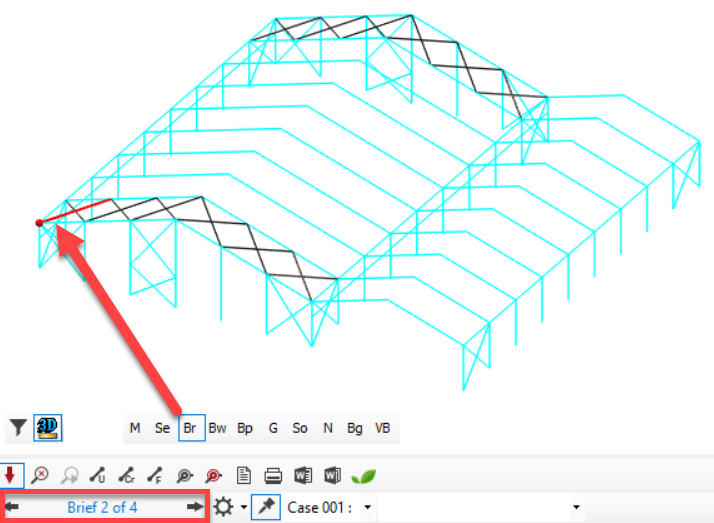
- Bw - Wall bracing members.
- Bp - Gable bracing members.
- G - Gable columns.
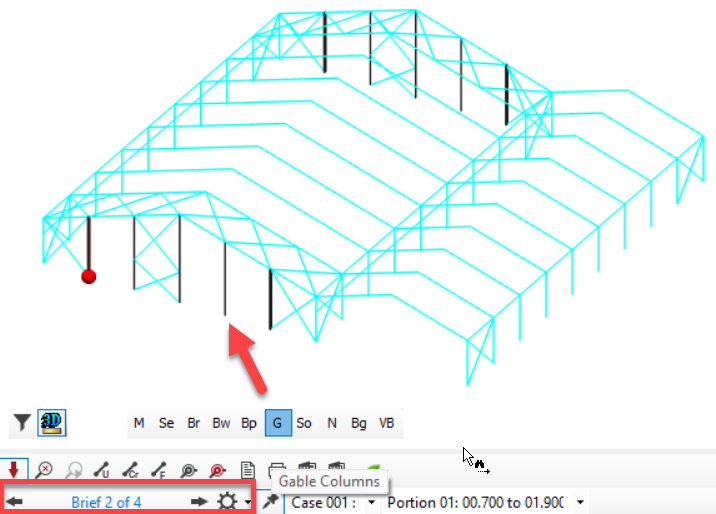
- So - South gable frame (if different from main portal frame).
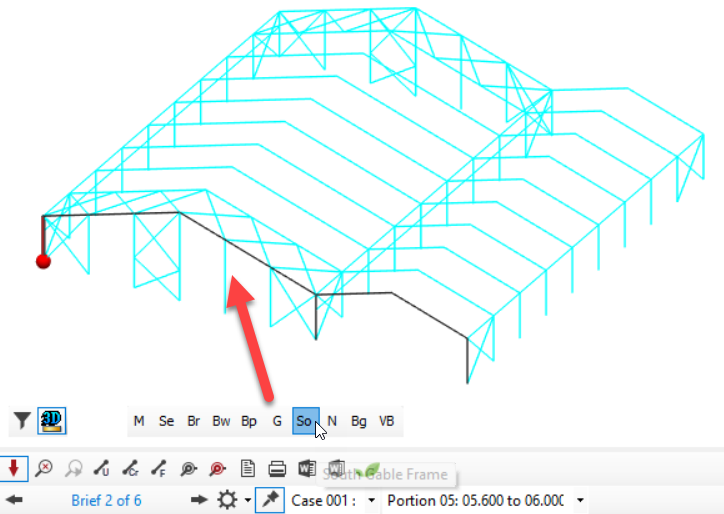
- No - North gable frame (if different from main portal frame).
- Bg - Gable bracing.
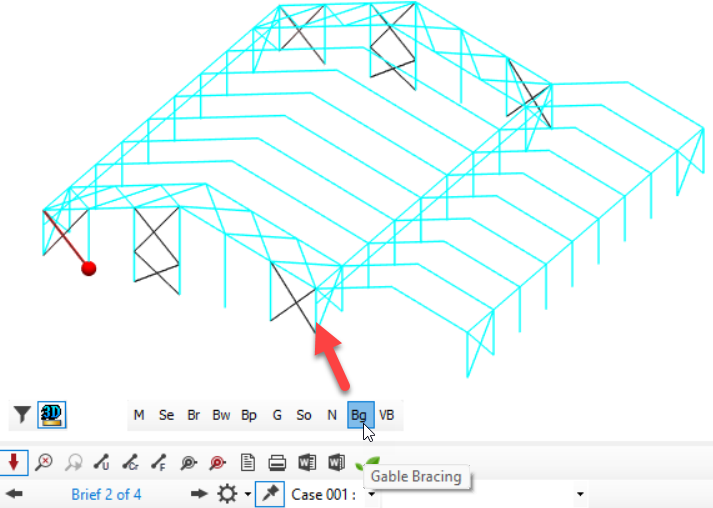
- Vb - Valley beams in a hit and miss column multi-bay frame.
Navigating through Design Groups
Although the option in the main menu is greyed out, you can toggle through the various Steel Design groups for Design Group M - the main portal frames, columns and rafters and any lean-tos, on the toolbar below the graphics pane.
