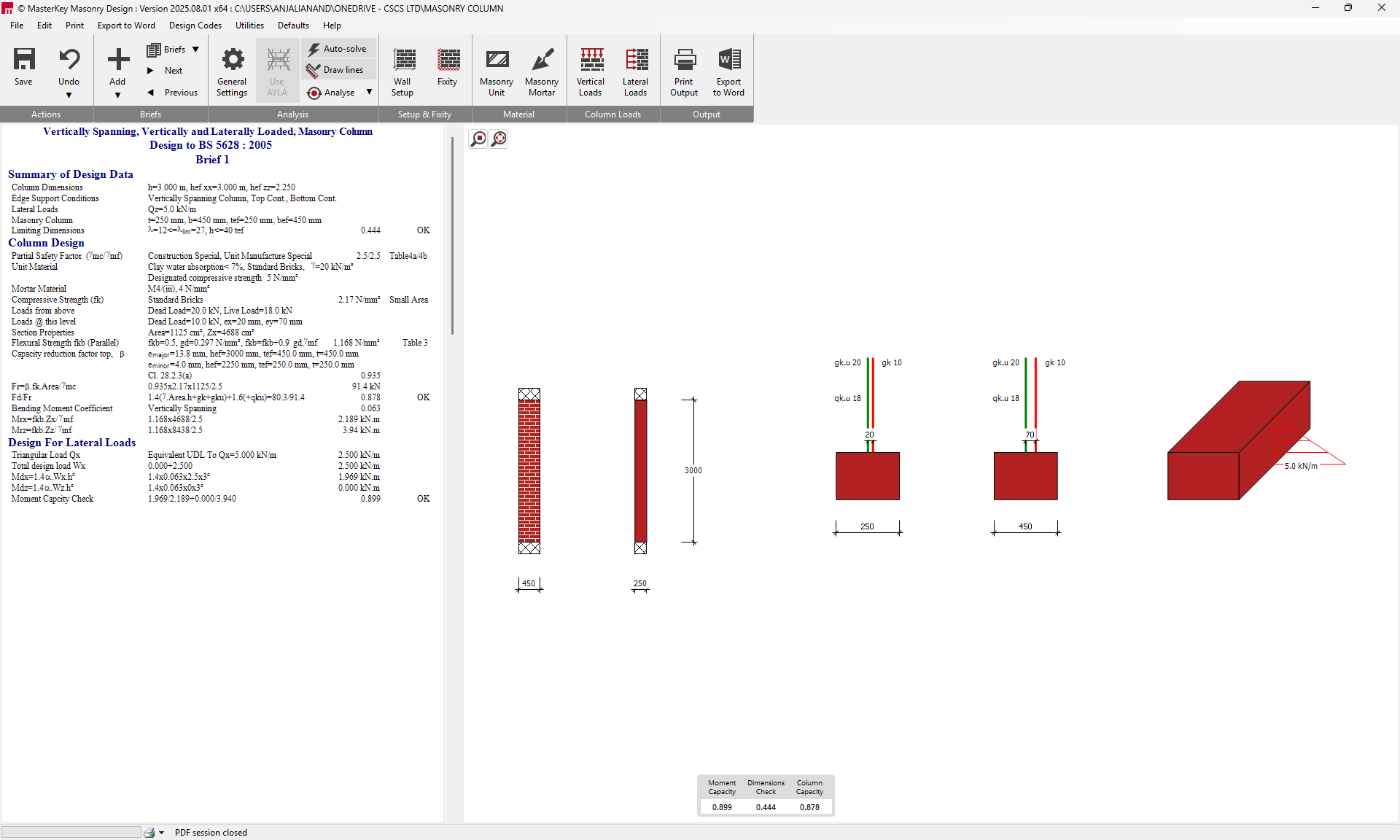
Masonry Column Design (EN1996)
Start and Code Selection
Access the MasterKey Masonry Design module (available as a standalone program or within PowerPad).
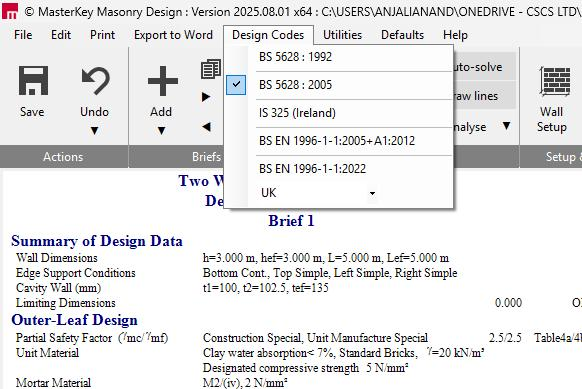
Ensure the design code is set to BS EN 1996-1-1:2005 (Eurocode 6) using the Design Codes menu, selecting the appropriate Country National Annex (e.g., UK).
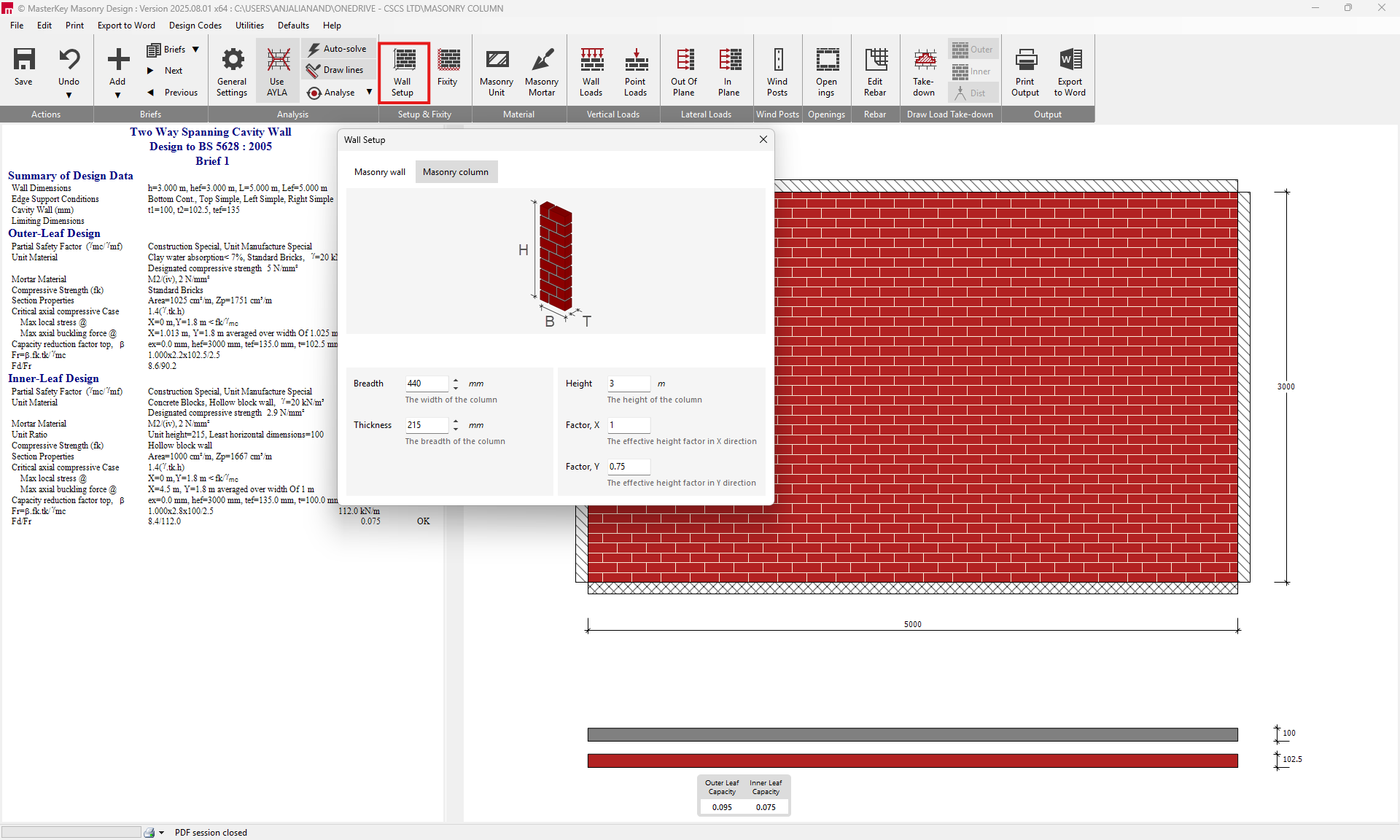
Define Column Setup
Navigate to the Wall Setup tab.
Switch from 'Masonry wall' to the 'Masonry column' definition tab.
Input the required geometric properties:
- Breadth (B) and Thickness (T) of the column on plan.
- Height (H) of the column.
- Factor, X and Factor, Y to define the effective height factors in both principal axes.
Define Materials and Fixity
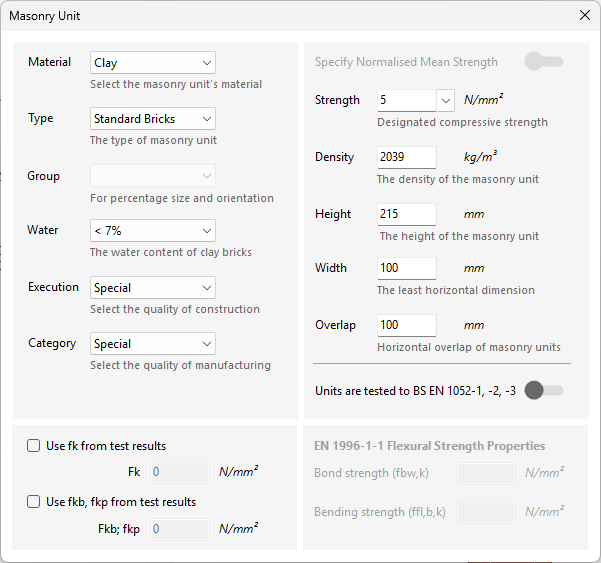
Use the Masonry Unit and Masonry Mortar tabs to specify material strengths and characteristics according to EN 1996:
Masonry Unit: Select Material, Type, Group, Water content (if applicable), Execution Control Class, and Unit Category. Input the normalised mean compressive Strength.
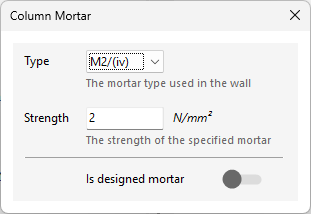
Mortar: Select the mortar Type and Strength (e.g., M4 or M6).
Fixity: Select the fixity at the top and bottom of the column from the fixity tab.

Apply Vertical Loads
Go to the Vertical Loads tab (since columns are primarily subject to axial compression).
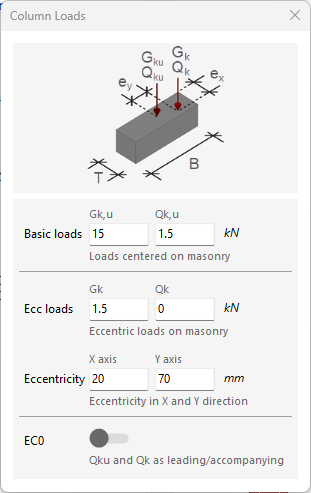
Input axial loads, which can be defined as:
- Basic loads (Gk,u and Qk,u): Concentric loads cantered on the masonry.
- Ecc loads (Gk and Qk): Eccentric loads, specifying the Eccentricity (e) in millimetres.
Review Analysis
The software calculates the axial resistance (compression check) based on the input material properties and effective height factors, considering the effects of eccentricity.
The utilisation ratio will be displayed in the design output and summary area. A utilization ratio exceeding 1.0 is highlighted in red, indicating a failure in the design check. Adjusting parameters such as unit strength or column dimensions may be necessary to achieve compliance.