Normalised Mean Compressive Strength vs Compressive Strength
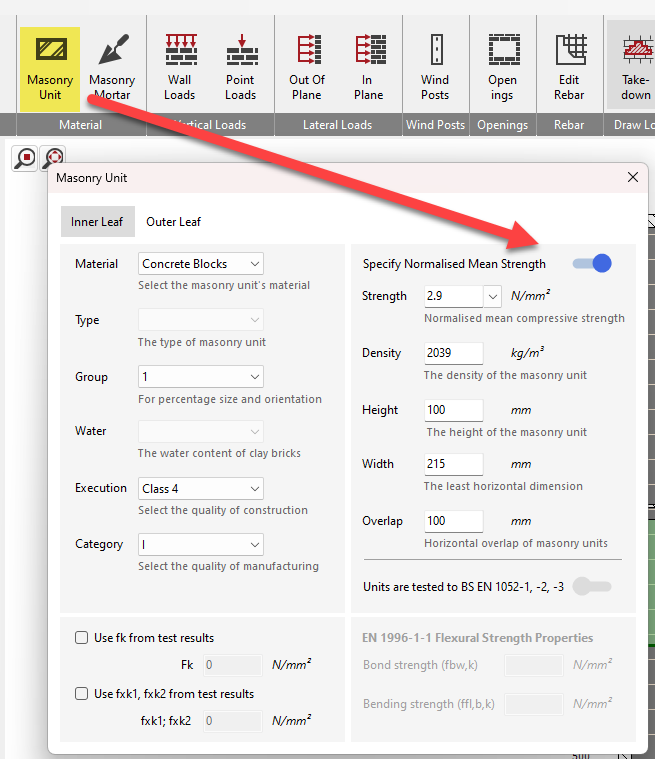
In MasterSeries you can tell the program which unit strength type value you are supplying by using the Specify Normalised Mean Strength toggle in the Masonry-unit dialog:
| Toggle position | What you enter | What MasterSeries does |
|---|---|---|
| On (box ticked) | Normalised mean compressive strength (N/mm²) – e.g. the value already adjusted to 15 °C / 65 % RH and normalised to a 100 mm high, 100 mm thick unit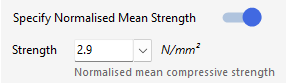 | Uses the value exactly as typed when it evaluates |
| Off (box unticked) | “Compressive strength (equiv. air-dried)” – the strength of the actual specimen tested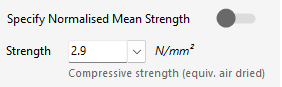 | Multiplies your input by the normalising factor (per EN 772-1 2001+A1:2015) to obtain the normalised mean strength automatically |
So, if you have the normalised value from the laboratory, simply tick the Specify Normalised Mean Strength option and type that figure in.
If instead you only have the unit’s tested compressive strength, leave the box unticked; enter the tested value and MasterSeries will apply the height/width normalisation factor for you.
The normalising factor is calculated via the following way
If the unit is exactly 100 mm high and 100 mm thick, the factor is 1.0, so the tested and normalised strengths are the same.
For taller or thicker units the factor is > 1.0 (normalised strength is higher); for shorter or thinner units it is < 1.0.
Design output
This is noted in the output as follows
Specify Normalised mean compressive strength (ON)

Specify Normalised mean compressive strength (OFF) - Compressive Strength (equiv. air dried)


