Tower Frame
You can develop several types of towers and trusses in the Tower Frame starter frame option. These include N, V and Vierendeel trusses and X, V, Vierendeel and Pi shaped towers. We will initially look at the 3 truss types and their basic input data.
N, V and Vierendeel Trusses
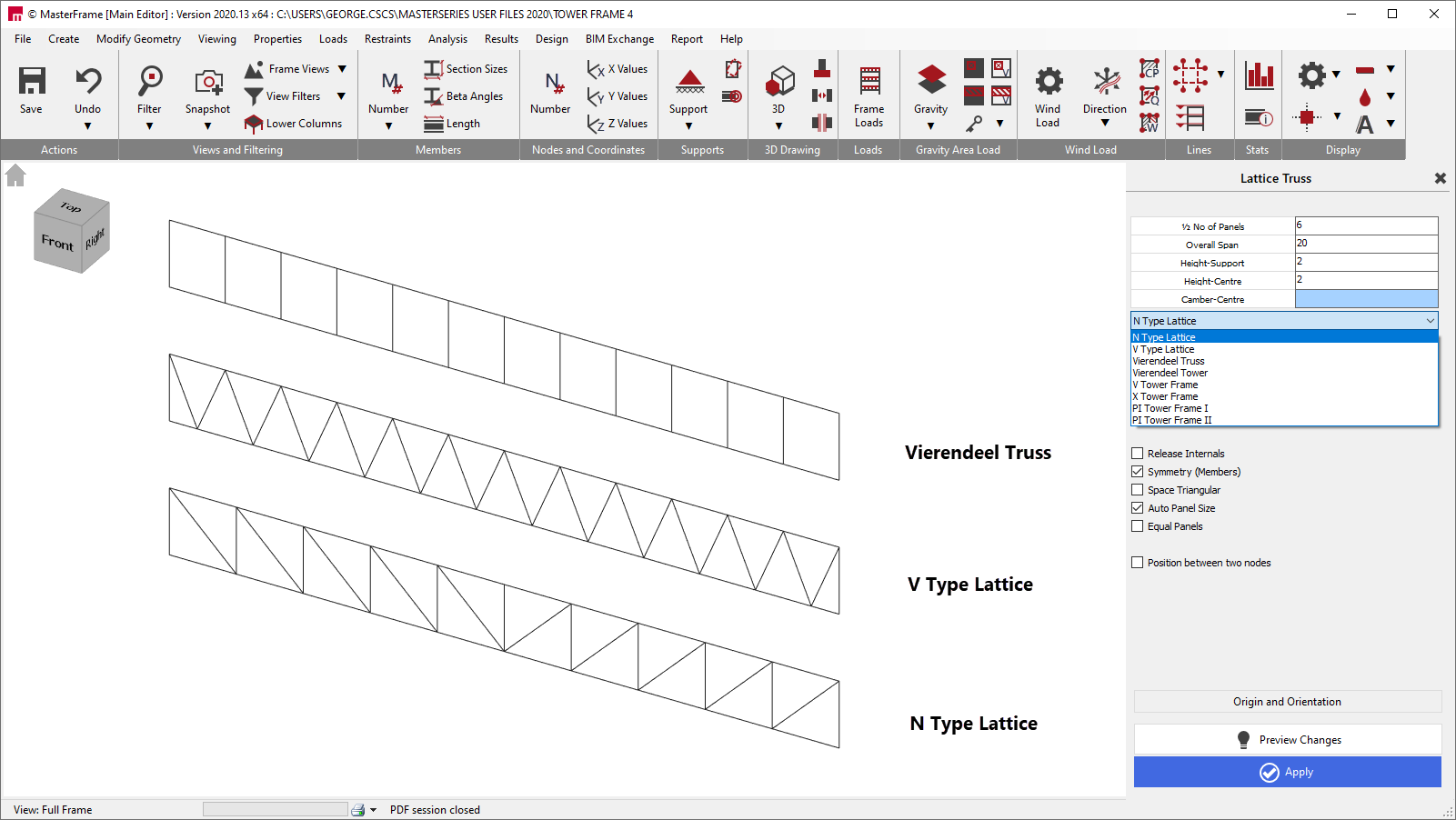
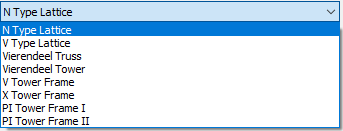
Having selected the Tower Frame, you can drop the list of trusses/towers and pick from the N or V type lattice or the Vierendeel truss.
The input for each is essentially the same.
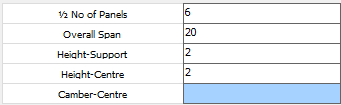
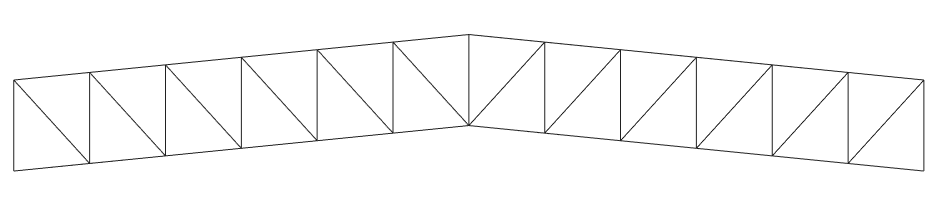
Enter the number of panels to the left of the middle of the truss. These will be mirrored about the truss centreline. Enter the overall span, the height at the supports and the centre and any camber height at the centre.
In the example below the centre height is greater than the support height.

In the next example the support and centre heights are the same but the centre camber has been set to 1m so as to raise the centre of the truss.
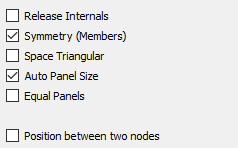
For the truss you can release the internal members and ensure frame symmetry.
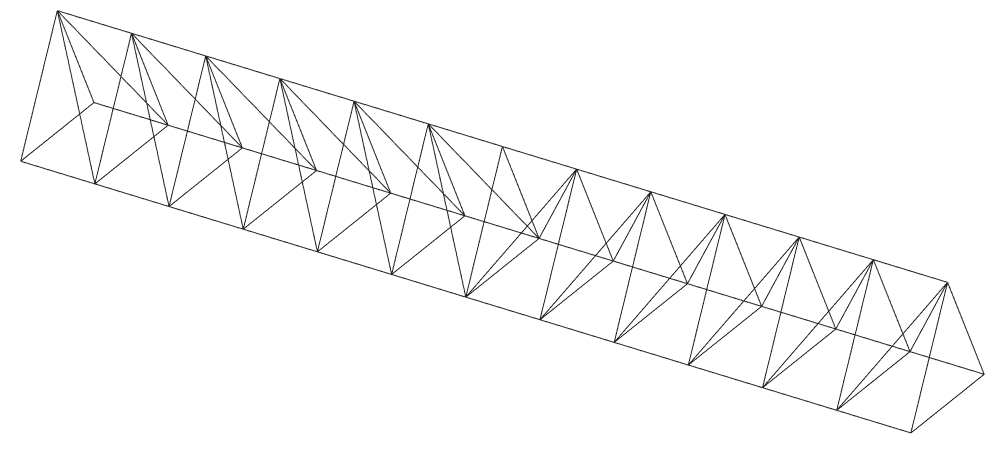
The truss can also be set up as a space triangular shaped truss. On choosing this option you will also be asked to enter the truss depth into the 3rd dimension.
You can also choose to have all the panels equally spaced in the horizontal direction, or allow the program to auto space the panels depending on the shape of the truss.

The truss can also be ‘Positioned between two nodes’. This is useful if you are adding a truss to an existing model and wish to place it between 2 specific node points in the model. You will be asked for the 2 specific node numbers.
X, V, Vierendeel and Pi Towers
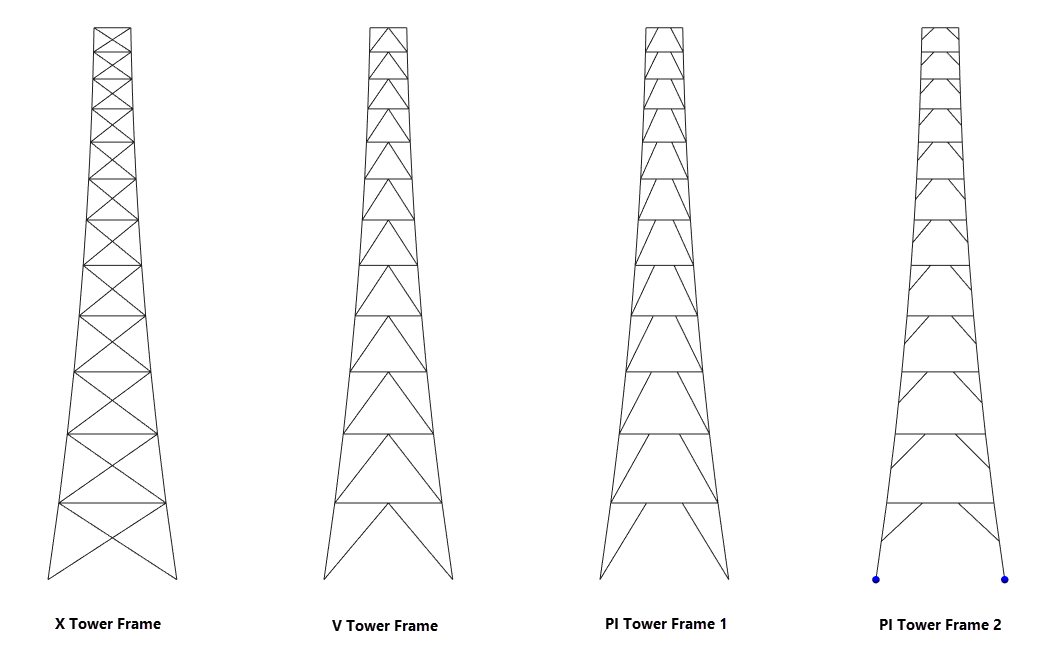
The data to be entered for the towers is very similar to that for the trusses above.

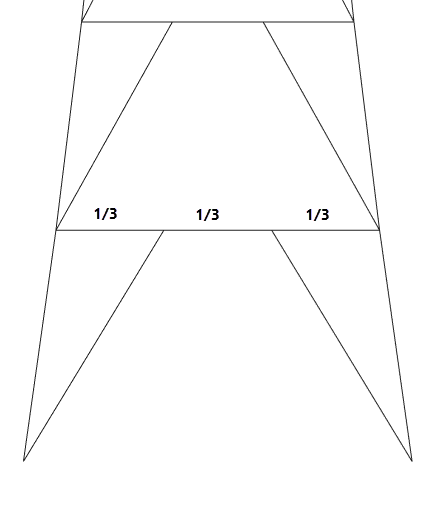
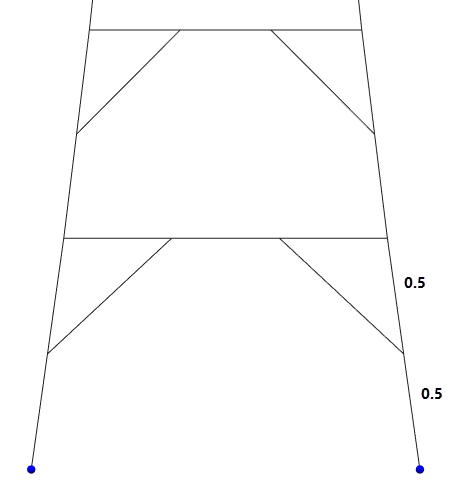
For the PI towers the Ratio for PI is the ratio for the distance the diagonal member is across the horizontal member. For example, in the frame below right, the ratio is 0.333. In the second example, the Vertical Ratio is the ratio up the leg that the diagonal starts at, 0.5 in this case.